The Specialised PE
The landing page of the CopernicusLAC Specialized PE is available at: https://coplac.wasdi.net/. To access the Specialized PE with the developed services and data, you first need to create your account.
The Specialized PE is available through: https://coplac.wasdi.net/#/login-coplac
Click on the You do not have an account yet? Sign up here link
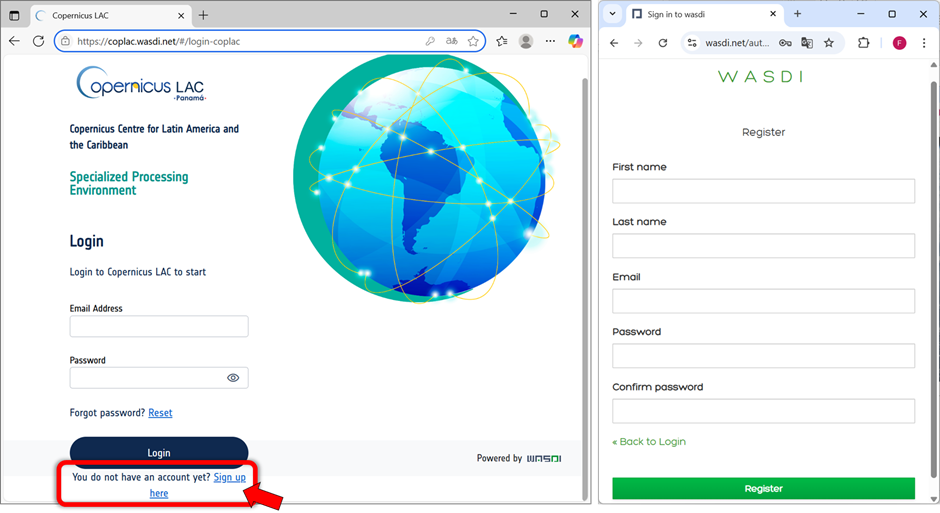
CopernicusLAC Specialized PE Login page and Sign-up form
Fill out the registration form with the following information:
First Name, Last Name
a valid e-mail address (that will be used as your UserId)
password
Confirm your email address: You will receive a confirmation email. Click the link in that email to verify your address. Once confirmed, you will be able to access the SpecializedPE platform.
After registering, please send an email to business-team@wasdi.cloud with the following information:
Confirmation that you have registered on the platform.
Email address you used during registration
Note stating that you are a CopernicusLAC user.
This last step is necessary so we can assign you the appropriate subscription.
After registering, you can log in with your credentials. You will be redirected to the Marketplace page (https://coplac.wasdi.net/#/marketplace), where the available Service Applications are listed.
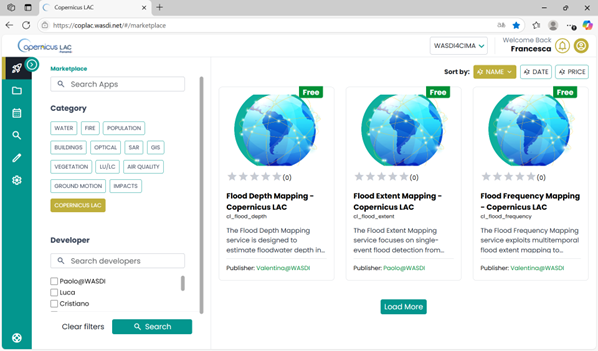
CopernicusLAC Specialized PE Marketplace
Overview of the Specialized PE graphical interface
This section provides a general overview of the key components and layout of the Specialized Processing Environment (PE) user interface. The main menu is always visible on the green bar on the left-hand side of the interface, allowing you to navigate through the various sections of the platform.
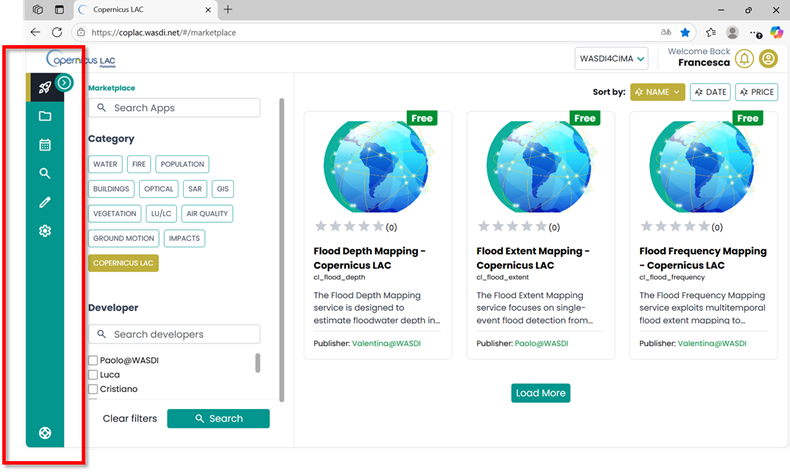
CopernicusLAC Specialized PE main menu
Marketplace: page where all the applications are available for end users with a simple and intuitive Interface. Choose your App, set your input data and get your results.
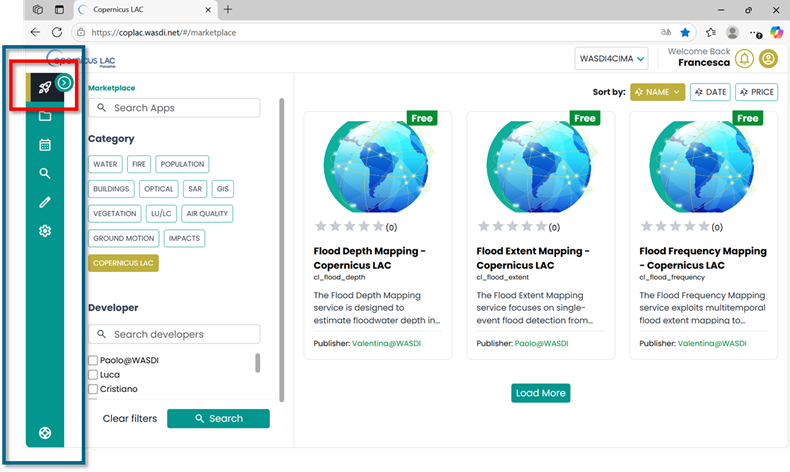
CopernicusLAC Specialized PE main menu – Marketplace
Workspaces: each user can work in one or more Workspaces. A Workspace is a collection of files (either original Earth Observation (EO) data or outputs generated by processing tools) grouped under the same “project.” From the Workspace section, you can:
Create a new workspace
Open an existing workspace from the dropdown list of workspaces your account has access to
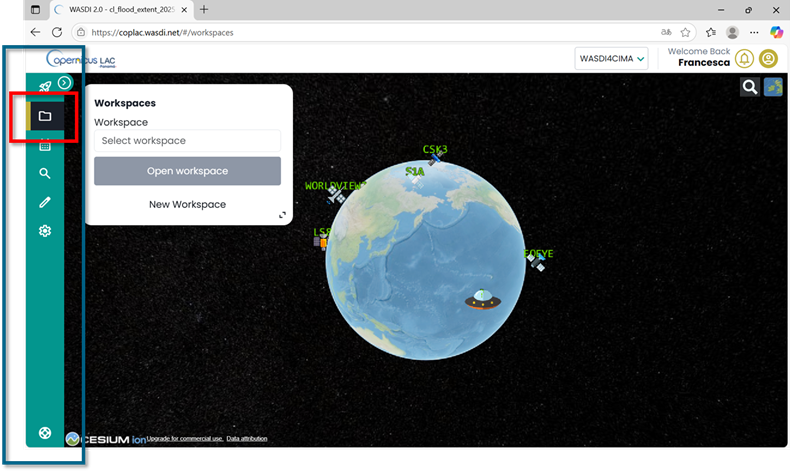
CopernicusLAC Specialized PE main menu – Workspaces
Below is an example of an existing workspace, showing the list of available layers on the left and a basemap on the right, where selected layers can be visualized.
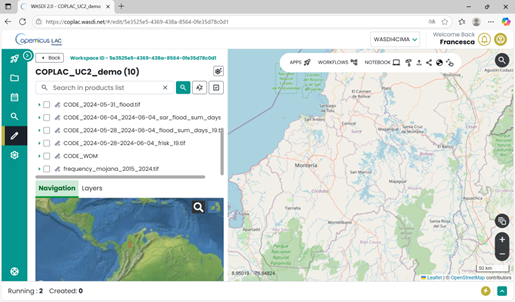
CopernicusLAC Specialized PE – Example of workspace
Documentation: detailed specifications of the Hydromet Hazard Services are always accessible via the documentation link in the main menu.
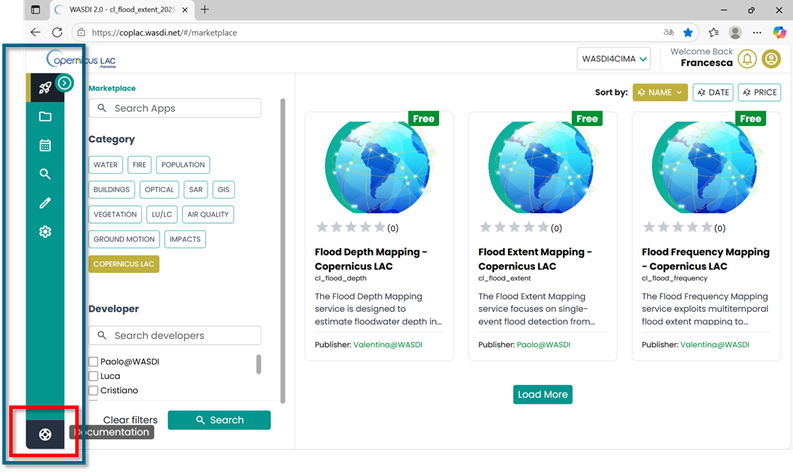
CopernicusLAC Specialized PE main menu – Documentation
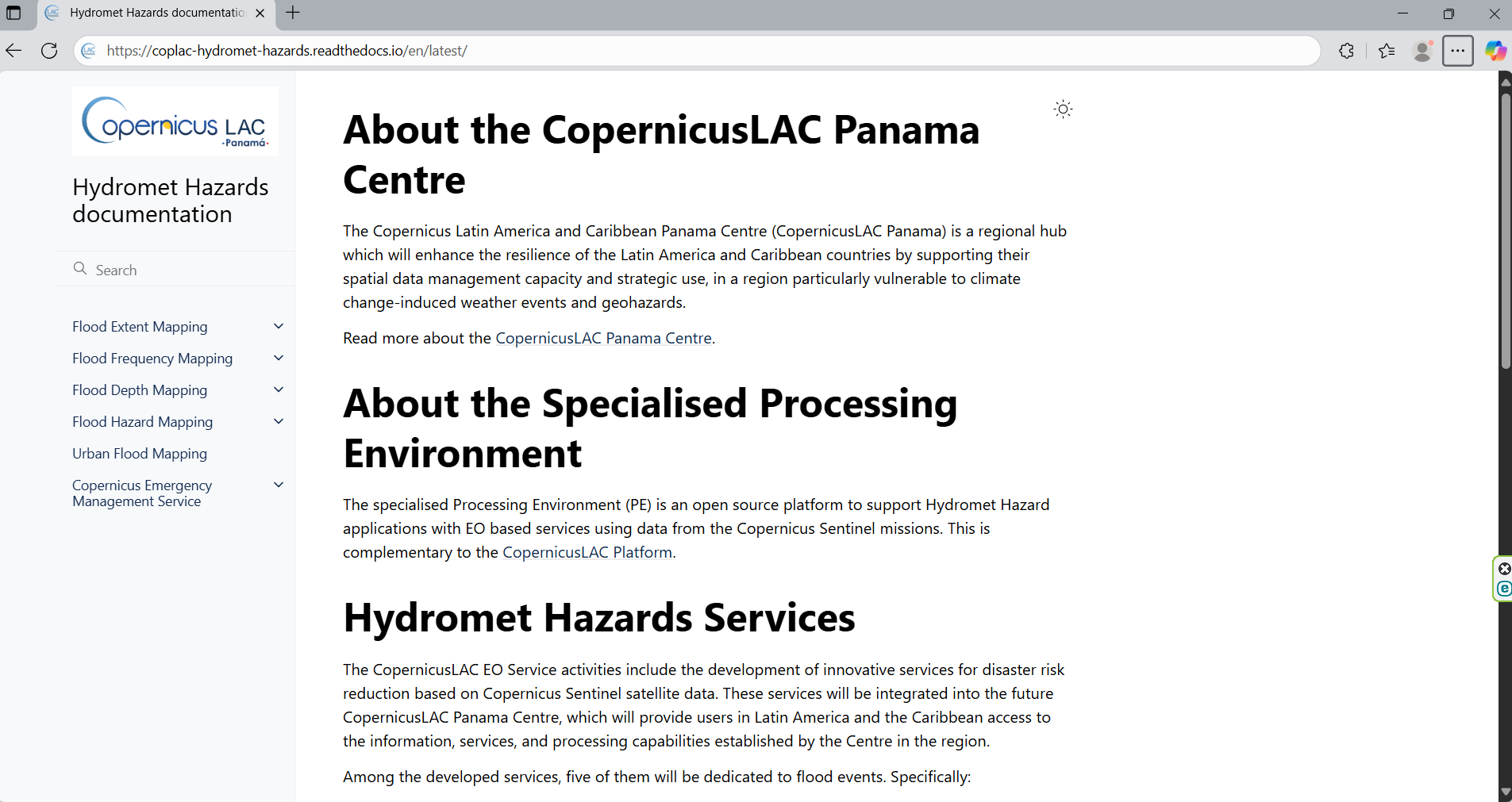
CopernicusLAC Hydromet Hazards Services Documentation